Posts

Showing posts with the label Android

Reading PDF Ebooks with Google Play Books
Image
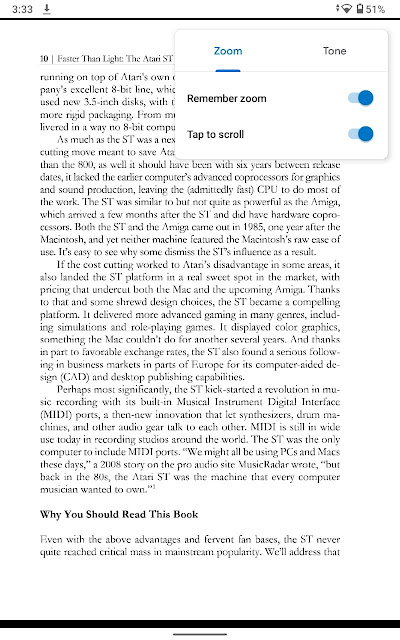
Large tablets and desktop screens are the best for reading PDF ebooks and files. However, in my experience, using a medium-size Android tablet and turning on two options of the Google Play Books reading settings provides an acceptable experience . Under these conditions, Google Play Books works better with PDFs than Kindle for Android. The reading options for PDF ebooks of the Google Play Books Android app. This setup is helping me read more PDF ebooks, unlike with my previous tablet, a 7” Lenovo Tab E7. On its small screen, the text of nearly all PDF ebooks and files was still too small no matter what reading options I set. Landscape mode helped little. Let’s see why PDFs require specific reading tools, what my setup is, and how I read PDFs. Reflowable vs fixed-layout ebooks With reflowable ebook file formats, such as ePub and Mobi, reading apps rearrange the text and other content to fit any screen size, much like web browsers do with HTML pages. Text fills the viewing area with a co...
Using Historical Space Add-ons with Celestia for Android

Image
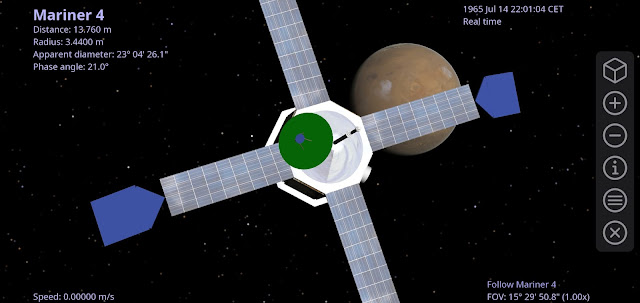
Celestia for Android , my favorite universe simulation app, supports downloading add-ons from the project’s repository . This extensive archive hosts digital models of asteroids, deep-sky objects, exoplanets, spacecrafts, and more. The add-ons of spacecrafts are interesting as they let you examine the environment and context of historical space exploration missions , such as the views the vehicles had of their target bodies. But historical add-ons pose a potential pitfall. The Mariner 4 add-on in Celestia for Android on my Pixel 4 XL phone. The simulation date and time are set to a moment a few hours prior to the closest approach to Mars. Consider, for example, the add-on of Mariner 4 , the first human-made vehicle to fly by the planet Mars. If you download the add-on and go to it with the Celestia browser (menu > Browser > Spacecraft > Mariner 4 > GO ), the app will navigate to the 3D model of the spacecraft and make it fill up most of the field of view. But where is Mars?...

Using a Bluetooth Keyboard on Android

Image
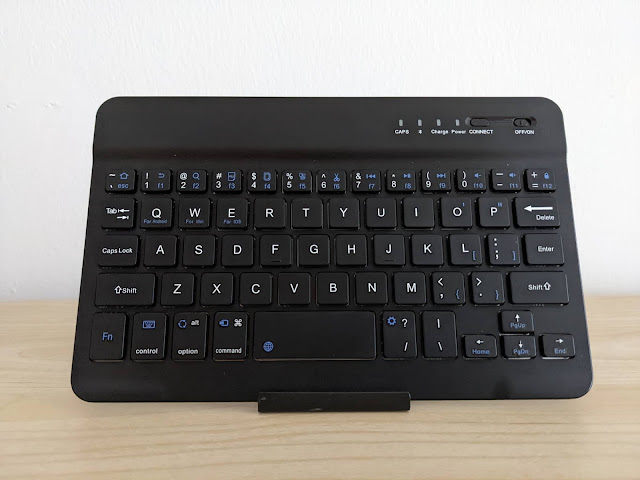
Two years ago I bought a cheap Bluetooth keyboard from Amazon.it. At €14, it was mostly an impulse buy for exploring mobile typing on the go and in similar settings , such as workstations with reduced desk space. My FREALL 7INKEYBD-BK Bluetooth keyboard. I initially used the keyboard with the Android tablet and smartphone I had, a 7” Lenovo Tab E7 and a Pixel 2 XL. I later repurposed the keyboard for the devices I replaced those with, a Lenovo Tab M8 HD 8” tablet and a Pixel 4 XL smartphone. Despite the simplicity of operation, it took me some trial and error to figure out how to pair the keyboard with an Android device and what keystrokes insert the characters I need, such as accented letters when writing in Italian. Moreover, I realized I never blogged about my experience with the unit. So I’m posting these notes in case you come across the same or similar keyboards. The keyboard The keyboard is a cheap, compact, plastic chiclet unit that comes with a small foldable stand for a ta...

How to Jump to the Top of the Google Photos Library

Image
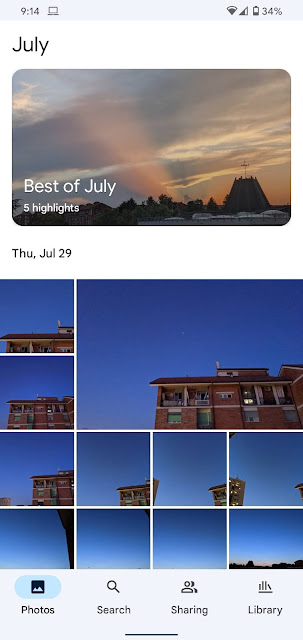
Despite the impressive machine learning features, in the Google Photos app, good old browsing is still a common way of finding what you want in your library. You scroll down the timeline until you run across what you were looking for, or other interesting shots serendipity brought your way. Tap the Photos button to jump back to the top of the photo library in the Google Photos app. Here the Android app on a Pixel 4 XL. Now that you are way down the timeline, how do you get back to the top? You can scroll up all your way until you hit the latest photos. Or just tap the Photos button in the bottom bar, which instantly jumps to the top. This handy trick works also when the Android app is running on Chrome OS.

Silence Astronomy and Space Android Apps

Image
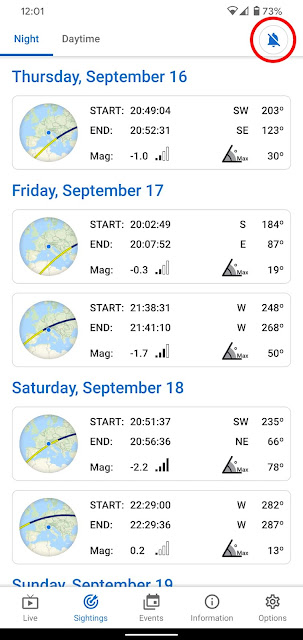
 What's the first thing to do after installing an astronomy or space app on Android? Turn off any alarms and notifications in the app's settings. Although these apps try to be helpful, they are noisy and alert you of interesting celestial phenomena or space events, such as the phases of the Moon, planetary conjunctions, satellite passes, and rocket launches. The option to turn off alarms in the ISS passes screen of the ISS onLive Android app. I learnt it the hard way when alarms in the wee hours of the night showed up on my Pixel 4 XL phone. It turned out an update of the ISS onLive app had set up alarms for International Space Station passes.

Simulating an Eclipse with Celestia for Android

Image
What would a lunar eclipse look like on the Moon? Closeup of the Earth hiding the Sun in a simulation of the May 26, 2021 lunar eclipse seen from the Moon. With Celestia for Android I simulated the May 26, 2021 lunar eclipse seen from the Moon . I screen-recorded a video on my ASUS Chromebox 3 while the Celestia app simulated the eclipse as seen from the lunar surface in an area near the North pole. Standing on the Moon the phenomenon would appear as a solar eclipse , with the Earth moving in front of the Sun and hiding it. In the video time runs 1000 X faster, from 04:00 UTC on May 26 to 19:00 UTC. The frame has a field of view of about 21° vertically. Notice the surface darkening up to the horizon while the Earth covers the Sun and casts a shadow on the Moon. How to simulate the eclipse Celestia is the best universe simulation software. To create the simulation, I used the Celestia app for Android on my ASUS Chromebox 3 not only because it runs well on Chrome OS but also because a ...

Explore the Moon and Mars with GlobeViewer for Android

Image
GlobeViewer Moon and GlobeViewer Mars are interactive Moon and Mars globe apps for Android. These incredible works are the best planetary globes for Android. GlobeViewer Moon for Android on my Pixel 4 XL. Under the hood they share the same rendering engine that combines shading, color, and perspective to present the shape and relief of geological features in a realistic, dramatic way. The camera controls let you explore these worlds from far away or fly close to their surfaces. The views of the Moon and Mars are stunning and educational. The apps come with high-resolution planetary textures based on space images and accurate altitude data of the celestial bodies. You can control the perception of relief by selecting the textures and adjusting the properties of simulated reflected light that determines the visual strength of surface details. 3D model of the north-eastern Montes Apenninus area at the eastern side of Oceanus Procellarum in GlobeViewer Moon on my Pixel 4 XL. Near the c...

Lenovo Tab M8 HD Review

Image
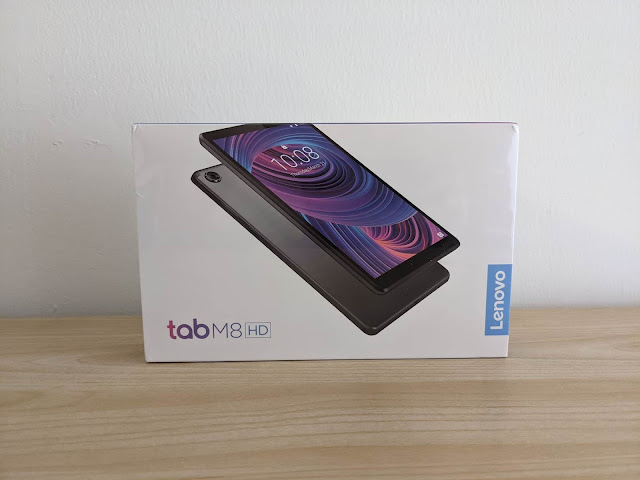
I bought a Lenovo Tab M8 HD , an 8” Android tablet. It comes with a MediaTek Helio A22 SoC, an IPS panel, 2 GB of RAM, and 32 GB of storage. I ordered the device from Lenovo’s Italian online store for €134. In this post I’ll share my early impressions on the device. The packaging box of the Lenovo Tab M8 HD tablet. Motivation The Lenovo Tab M8 HD replaces the Lenovo Tab E7 7” tablet I bought almost a year and a half earlier. After enjoying the Google Nexus 7 2012 and 2013 tablets I left Android slates for several years. My return to tablets with the November 2019 purchase of the cheap Lenovo Tab E7 was a sort of impulse buy. I wanted an affordable Android slate small enough to be compact but with a large enough screen to help productivity . I also figured it would double as an ebook reading device and let me explore the Android ecosystem. The Tab E7 was nice but limited. The screen didn’t have good touch sensitivity, performance was poor, there was a lot of lag, and the screen was no...

Follow Mars Rover Operations With SpaceTime for Android

Image
NASA SpaceTime is an Android app for displaying the time on Mars and the schedule of the operations teams of NASA’s Curiosity and Perseverance rovers. The NASA Jet Propulsion Laboratory runs the missions and developed this official app. The NASA SpaceTime app on my Pixel 4 XL phone. The app shows the local time at the rover sites on Mars along with a list of upcoming events, planning activities, and key meetings of the mission operations teams. The entries provide the times at your location and countdowns to the events. The descriptions of the entries are terse and worded with obscure acronyms, so it may be hard to figure what they’re about. Ex Mars rover driver Scott Maxwell helped me make sense of the acronyms and jargon. Here’s what they mean. Keep this list handy when running the app: Ace : call sign of the team member who triggers the uplink, among other things CI: Campaign Integration (the equivalent of Curiosity's supratactical process ) D/L: downlink EDR: Experiment Data ...

Screen Sharing Android Apps in Video Calls on Chromebooks

Image
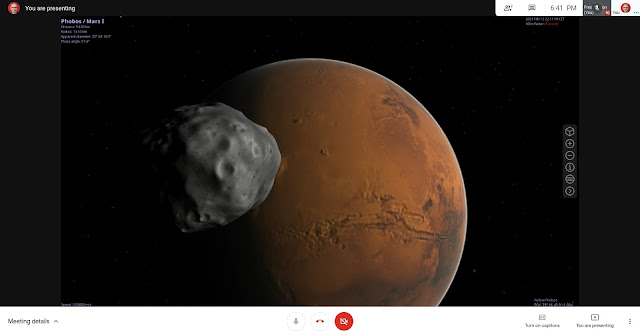
On your Chromebook you can present the screen of an Android app in a Google Meet or Zoom video call. The trick is to select the app’s window when sharing. In Google Meet, pin the shared window to the screen to see what the app looks like to the guests in the call. Presenting the Celestia Android app in a Google Meet video call on my ASUS Chromebox 3. The same goes for Linux apps. But, if an app opens over one window, you’ll be able to share only one at a time. Sharing the whole screen with an app open in the foreground works too and has the advantage of showing all the app windows. It’s less practical, though. Given the limited resolution and quality of video calls, it’s better to maximize the Android app’s window so the guests can view a larger image with more detail. The only downside is most Android apps aren’t optimized for large screens and may have large blank areas and widgets spread wide apart. Keeping the default, non-maximized app window fixes this and can be useful. For ex...

Space Apps for Android: 10 Jan 2021 Update

Image
I published version 10 Jan 2021 of my ebook Space Apps for Android: Discover the Best Astronomy and Space Apps . The readers who purchase it get free lifetime updates. So, if you bought the book, you can download the latest files in PDF, Mobi, and ePub format where you originally got it at Gumroad or Leanpub . Meteor Shower Calendar, an app my ebook Space Apps for Android covers in chapter Meteors. In this release I added an introduction to chapter Meteors, reported on how the listed apps work on Chrome OS, and revised the chapter. Among the astronomy apps for Android, few are about observing or learning about shooting stars and meteor showers. As a result, this is a brief chapter. Space Apps for Android is a work in progress. I regularly update and expand the book with the Lean Publishing process.

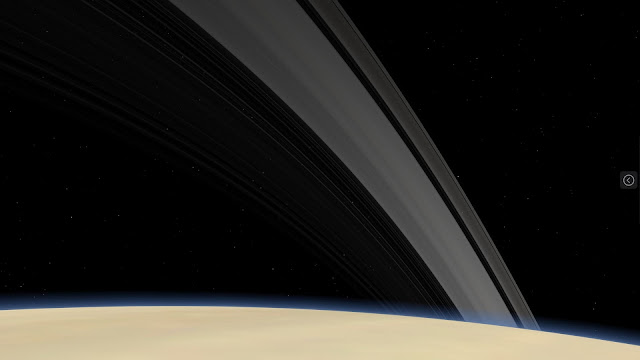
How to View the Rings From Saturn

Image
What would the rings of Saturn look like from the globe of the planet? Imagine you flew a spacecraft to the visible surface at the top of the atmosphere. The rings may look like this. The rings seen from the surface of Saturn at middle northern latitudes. View in Celestia for Android on my ASUS Chromebox. On Android, you have a spacecraft: the Celestia app . I’ll explain how to view the rings of Saturn with Celestia for Android. But the instructions work also with Chromebooks, Android devices, and likely other operating systems. What you need Celestia is the best universe simulation software. It’s a popular open-source project originally developed for desktop operating systems. Now Celestia is available also on Android and works well on Chrome OS. It’s actually one of the few Android apps optimized for Chrome OS. A unique feature of Celestia is the ability to “land” on the surface of a planet or celestial body , i.e. change the point of view as if you looked at the sky standing on or ...

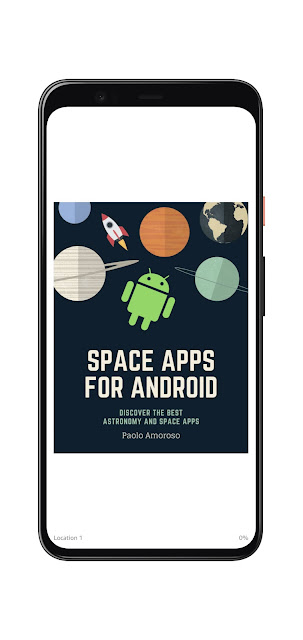
Space Apps for Android: 17 Nov 2020 Update

Image
 I released version 17 Nov 2020 of my ebook Space Apps for Android: Discover the Best Astronomy and Space Apps . If you purchased the book, the latest version is available for free download in ePub, Mobi, and PDF format where you originally downloaded it, on Gumroad or Leanpub . The cover of the Space Apps for Android ebook in the Kindle app on my Pixel 4 XL. Chapter The Planets now has an introduction. I also revised the chapter’s text and added the Mars Explorer app. Some apps are no longer available in the Play Store, so I removed their entries from that chapter: Physical Mars, Pluto Safari, Space Weather, and The Red Planet Mars. I removed Mars Explorer (unrelated to the app by the same name I added) too, as it now serves ads and no longer meets the book inclusion requirements. It’s amazing how many Android developers remove their apps from the Play Store, including several Space Apps for Android covers. But the ebook is a work in-progress and I regularly update it with the L...

View the Surface of Mars with Mars Explorer for Android

Image
Mars Explorer is an Android app for viewing the raw images of the surface of Mars taken by NASA’s Curiosity, Spirit, and Opportunity rovers, and the InSight lander. Mars Explorer on my Pixel 4 XL phone. You can get the latest images from the active missions, Curiosity and InSight, and browse the image archives of the completed missions, Spirit and Opportunity. The app lets you view, save as favorites, and share the images. To drill down to the ones you’re interested in, there are options for selecting the relevant Sol (Martian day) or terrestrial date. In Mars Explorer you’ll also find general information on Mars, the vehicles that take the images, and their instruments. Weather reports and environmental measurements from the Curiosity rover complete the feature set. The app runs well also on Chrome OS, where it takes advantage of the large screens of Chromebooks by providing an alternate layout that better organizes the content and the navigation elements. The layout activates on And...

Don't Publish Large ePub or Mobi Ebooks

Image
Do you sell ebooks directly on Gumroad or on your website? Don't ship large ePub or Mobi files, they may make it impossible or impractical for readers to load the files in their favorite reading apps. Here's an example of an ebook I bought on Gumroad and available in PDF, ePub, and Mobi format. I'd like to read it on my Android phone and tablet. My ePub reading app, Google Play Books, is ubiquitous on Android. It can sideload files up to 100 MB, but the ePub version of that Gumroad book has a size of 105 MB. I can't use the Kindle Android app via Send to Kindle because the book's Mobi file is 33 MB. Gmail, along with most other email clients, can't send attachments over 25 MB. For larger files, Gmail sends download links that don't work with Amazon's automated Send to Kindle system, which can't click links. Also, Gumroad doesn't provide a Send to Kindle button for the file the author supplied. This leaves the PDF file. However, it’s a suboptimal...

Mockup Generators for Google Devices

Image
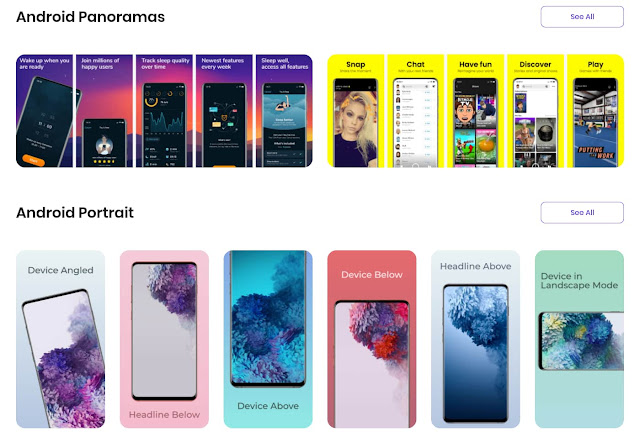
 Mockup generators are tools that combine screenshots with renderings of the frames and bezels of the desktop or mobile devices they are taken on. The generators can also overlay the screenshots to photos of actual devices. The Previewed mockup generator with some Android device frames. The combined images are used as illustrations or for promoting apps, ebooks, websites, or other digital products. There are several mockup generators for mobile and desktop devices such as smartphones, tablets, and laptops. But they usually focus on Apple hardware. The few frames in the Google ecosystems like Android phones or Chromebooks, when available, are often out of date. Google's own Android device art generator is missing the latest generations of flagships. Chrome can take screenshots with device frames but, again, there are no recent Android devices. Yeah, the cobbler's children have no shoes. List of mockup generators for Google devices I use mockup generators for sharing Android and...

A Tripod for Smartphone Astrophotography

Image
 As an amateur astronomer, Astrophotography mode is one reason why I got a Pixel 4 XL . But there’s another essential piece of gear for taking long-exposure photos of star fields or astronomical phenomena, a tripod. The one I bought for the Pixel 4 XL is a Phinistec photo tripod . My Phinistec tripod with some accessories: a carrying pouch, a phone adapter, and a Bluetooth shutter. I do all my astrophotography from an apartment building in Milan, Italy, where I live. It’s a light-polluted urban area, but these days I can’t wander around much. I observe the sky from the apartment’s small balconies, which have the area of a medium-sized carpet. This constrains the camera holding gear I can use. I wanted a full-height tripod that can extend to at least waist level, not a tabletop tripod, as I can’t use tables or other elevated surfaces to set the photo equipment on. The Phinistec tripod can extend to a height of 125 cm. It’s cheap, compact, and very light . It comes with a smartphone...

AppGyver Composer Review: First Impressions

Image
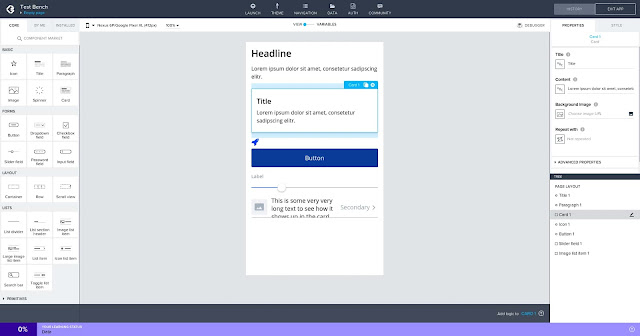
It’s not just non-coders who use no-code development tools. If anything, having some programming experience gives an appreciation of how much time and effort these tools can save. This is why, despite having been a hobby programmer for decades , I’m interested in no-code solutions. The ones I tried in the past are App Inventor and Thunkable , for creating mobile apps, and Bubble for web apps. An Android app under development in the AppGyver Composer IDE on my Chromebox. A few months ago I discovered AppGyver Composer, an impressive app builder for developing both mobile and web apps that seems more powerful than the others I’ve seen. Here are some quick notes on my experience with the tool so far. Keep in mind I'm still exploring AppGyver, not using it for real projects. About AppGyver AppGyver Composer Pro is the best no-code, drag & drop app development environment I've seen. It allows to create both web and mobile apps for Android (even Android TV) and iOS, ...

Why I Got a Pixel 4 XL When Google Discontinued It

Image
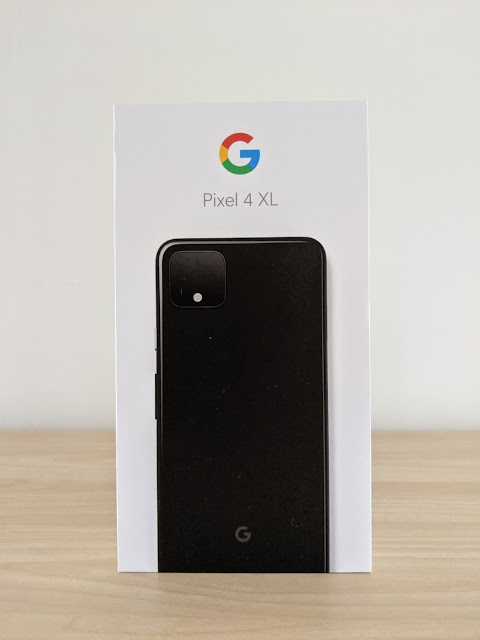
Google discontinued the Pixel 4 in August 2020 and pulled it from the US Google Store. As soon as I learned of it, I ordered a Pixel 4 XL from the Google Store in Italy where I live and the phone was still in stock. Why did I get it? Because I like the 4 XL more than the current and planned Pixel models . I don’t mind the issues and limitations others criticize. And it’s not clear whether the Pixel 5 will ship with a telephoto lens, which I want. The packaging of my Google Pixel 4 XL phone. My previous phone I had been using a Pixel 2 XL since January 2018. This is no surprise as I always used Google-branded Android phones as my daily drivers. The Pixel 2 was the first of the Pixel family distributed in Italy. I was eager to try a Pixel and went with the 2 XL because of the higher specs, a more capable battery, and a better experience. In October 2020, a couple of months from now, the Pixel 2 line will reach the end of life with no more system updates and support. Expe...

My First 10 Years With Ebooks

Image
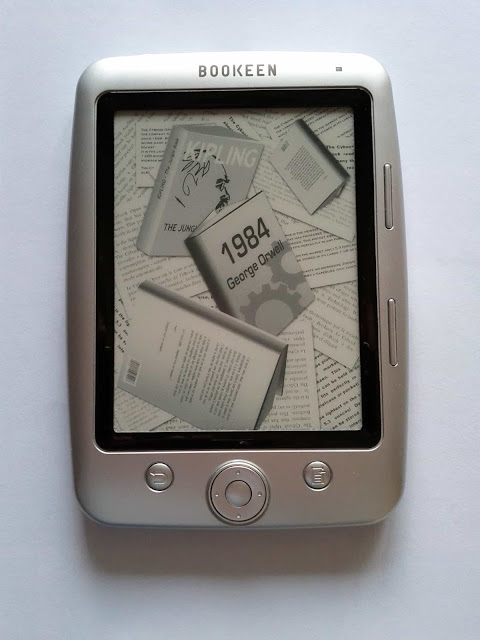
Ten years ago, in July 2010, I left traditional print books for ebooks, and I haven’t looked back. Over the past decade, I bought about 300 ebooks and half a dozen print books and read around a hundred free ebooks. Of these print books, two were very interesting but unavailable in digital format. I bought a couple other traditional books because friends wrote them or I contributed to works, so I wanted a tangible artifact as a memento or signed copy I could hold in my hands. Finally, I got the last couple of print books to give as presents. My first ebook reader, a Bookeen Cybook Opus e-ink device. My transition to ebooks and digital reading happened almost overnight. I never had regrets or second thoughts. I regularly shared my experience with ebooks on Google+ and later on this blog where, in 2019, I posted a retrospective of my first 9 years with ebooks . The 10th anniversary is a suitable occasion to tell in some detail how the transition happened, what my exper...