Posts

Practicing Google Featured on The Slice

Image
Issue #008 of The Slice featured my newsletter Practicing Google. The Slice is a weekly newsletter to discover new and emerging creations such as SaaS products, podcasts, and newsletters. It offers actionable resources for founders and makers. The sign-up page of The Slice newsletter. Listory’s interview with The Slice’s author Nic opens with «The Slice highlights the underdogs of the tech world». I love this characterization and focus because typical case studies and success stories highlight the most successful entrepreneurs, authors, or products. The outliers, the unicorns. I’m actually more inspired by smaller, realistic achievements such as newsletters with a few hundred subscribers, or ebooks that make hundreds of Dollars a year. They are closer to where I am in my journey, more approachable. These are goals I can see myself reach given reasonable time and effort. I don’t even bother thinking how to imitate the outliers. Therefore, I’m extremely please...

A List of Newsletter Directories

Image
Growing your newsletter can be challenging. Especially at the beginning, when few know you or your work. Having your newsletter listed in specialized directories that attract potentially interested readers is a valuable discoverability opportunity. The InboxReads newsletter directory. These directories are databases that let readers search or browse newsletters by category . Sometimes the directories share the newsletters to their social channels or in email updates. The continuous flow of subscriptions coming from directories, even if small, adds up. Maybe it's just an impression. However, I’ve been noticing a small but steady flow of subscriptions since submitting my newsletter Practicing Google to several directories. It's just a trickle right now. But noticeable. I have been bookmarking and keeping track of directories since working on my newsletter. I share them here and I’ll keep the list up to date. Open directories You can submit your newsl...

My First Year of Blogging With Blogger

Image
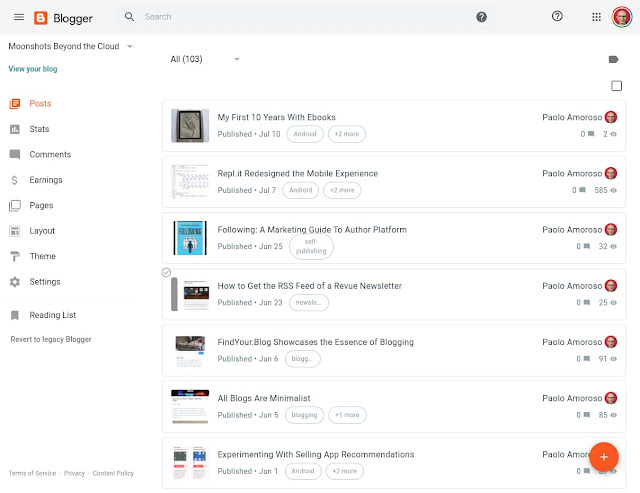
One year ago today, on 15 July 2019, I returned to Google Blogger and started a new blog . It was the conclusion of a journey that began over a dozen years earlier with my first blog on a self-hosted platform. I later published another blog on Blogger. Next, I left blogging for a few years. For several more years, I used Google+ as a blogging platform. Finally, I briefly tried the IndieWeb, which is not ready for prime time but intriguing. The Blogger dashboard of my blog Moonshots Beyond the Cloud. What was my first year on Blogger like? Uneventful. I chose Blogger because it’s a simple tool which doesn’t get in the way of writing and publishing . It does all I need and lets me focus on content. Google has been refreshing Blogger with a gradual redesign for the past couple of years. They’re rebuilding the platform on foundations rooted in a modern, mobile friendly design language and infrastructure. However, the new Blogger doesn’t provide much in the way ...

My First 10 Years With Ebooks

Image
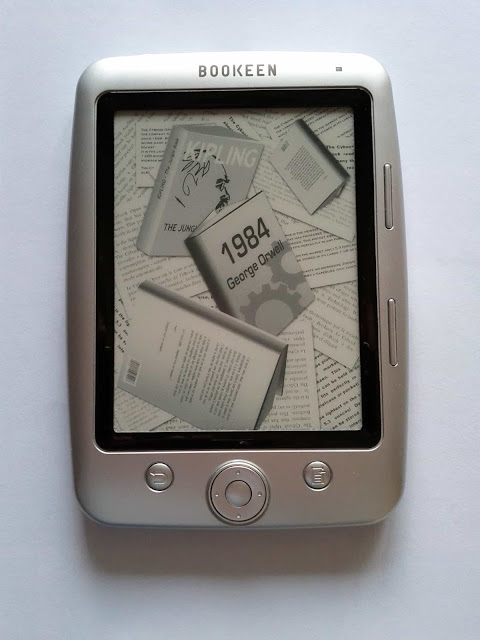
Ten years ago, in July 2010, I left traditional print books for ebooks, and I haven’t looked back. Over the past decade, I bought about 300 ebooks and half a dozen print books and read around a hundred free ebooks. Of these print books, two were very interesting but unavailable in digital format. I bought a couple other traditional books because friends wrote them or I contributed to works, so I wanted a tangible artifact as a memento or signed copy I could hold in my hands. Finally, I got the last couple of print books to give as presents. My first ebook reader, a Bookeen Cybook Opus e-ink device. My transition to ebooks and digital reading happened almost overnight. I never had regrets or second thoughts. I regularly shared my experience with ebooks on Google+ and later on this blog where, in 2019, I posted a retrospective of my first 9 years with ebooks . The 10th anniversary is a suitable occasion to tell in some detail how the transition happened, what my exper...

Repl.it Redesigned the Mobile Experience

Image
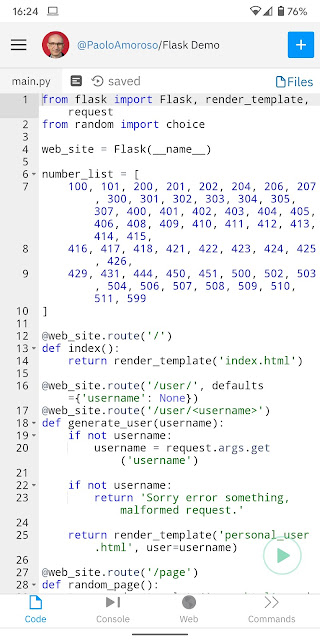
The cloud IDE Repl.it was redesigned to improve the user experience on mobile devices. On smartphones, now the focused REPL pane takes up most of the screen. The redesign takes advantage of native mobile design patterns and lets you switch to a different pane from the bottom navigation bar . There are panes for the code editor, the console, and the output. A Python REPL in Repl.it on my Pixel 2 XL phone. Tapping the code in the editor brings up a contextual menu with some options of the desktop version. You can select, search, or paste text, or open the full command palette. On my Pixel 2 XL phone in Chrome, lines with up to 42 characters fit in the editor’s width. The editor wraps longer lines. But most of the code usually keeps the original indentation and its structure is still clear at a glance. The console pane wraps text, too, so no horizontal scrolling is required. You can get an idea of what Repl.it looks like on mobile by opening the browser on your ...

Following: A Marketing Guide To Author Platform

Image
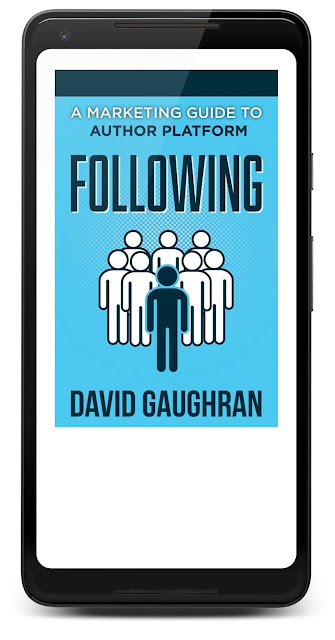
Indie writer David Gaughran published the ebook Following: A Marketing Guide To Author Platform . It’s a free bonus you can download by subscribing to David’s weekly book marketing newsletter . David Gaughran’s Following ebook in Google Play Books on my Pixel 2 XL phone. The book brings clarity on the confusing issue of building an author platform writers and authors face, especially when going indie and self-publishing. Its greatest value is a concise and clear definition of what an author platform is and what it's supposed to do, along with a prioritized roadmap. Although you’ll find practical advice in Following , the book comes with an online resource section David keeps up to date with how-tos, step-by-step guides, videos, lists of service providers, and more. David presents a framework grounded on two pillars, an author website and a newsletter . You can add other activities and online presences modularly on top of those as your time and resources allow....

How to Get the RSS Feed of a Revue Newsletter

Image
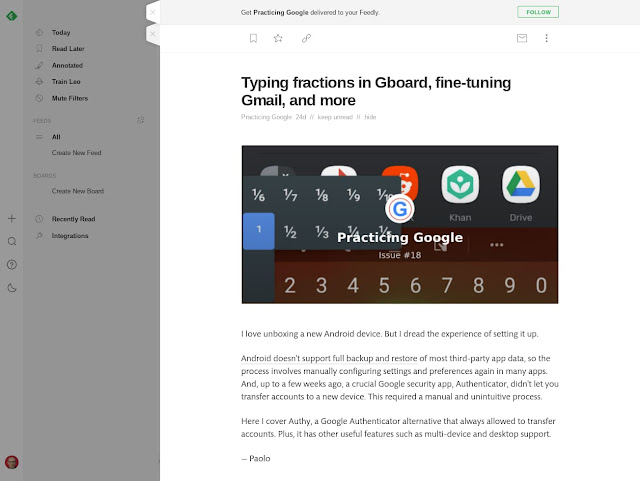
To get the RSS feed of a newsletter hosted at Revue , enter the URL of the newsletter’s sign up and archive page into your feed reader . This returns a partial feed with an entry for each issue. An article in the RSS feed of my Practicing Google Newsletter in Feedly. If the reader doesn’t recognize the feed, add ?format=rss to the newsletter’s URL. For example, the URL of my newsletter is http://newsletter.paoloamoroso.com and I can get the RSS by rewriting it as http://newsletter.paoloamoroso.com?format=rss Another trick is to append ?format=text to the URL of an issue to get the ASCII text with some HTML formatting. An example is this URL of one of my issues http://newsletter.paoloamoroso.com/issues/freeing-up-storage-on-android-deleting-youtube-s-watch-history-and-more-252454 that returns the text via http://newsletter.paoloamoroso.com/issues/freeing-up-storage-on-android-deleting-youtube-s-watch-history-and-more-252454?format=text The usual way of receiving a ...