Posts

Showing posts with the label Google

Why I Mothballed my Newsletter
Image
I include below the text of the last issue of my Practicing Google newsletter, in which I announced I discontinued the publication and explained why. It feels at the same time sad because it's a failure, and energizing as the it frees up resources for new projects. This is the last issue of Practicing Google. I’m ceasing publication of the newsletter, or at least suspending it indefinitely. I might resume at some point, but not in the short term. If so, I’ll notify the readers still subscribed or announce related projects. I discontinued my Practicing Google Newsletter. I’m sorry this comes out of the blue, but it was inevitable. I’ll explain below why I took this decision I had been considering for a long time. Thank you very much for your attention and support. There's no interest With billions of Google users, without research or validation I assumed at least a few hundred would subscribe to Practicing Google. Almost two years and 87 issues later, the subscriber count has b...

How to Add Code Syntax Highlighting to Blogger

Image
On my blog I always wanted to format source code in Python and a couple more languages, but couldn’t find a convenient way. Until I read a tutorial on adding syntax highlighting to Blogger blogs like mine. The Blogger post composer actually provides the monospace Courier font that may be used for source code, but it works well only for inline text . If I apply the Courier font to a block of code, the composer renders each line as a separate paragraph. This leaves too much vertical space that makes the code look ugly. A workaround is to switch to the HTML view in the composer and wrap the block within <pre> ... </pre> tags, which insert the correct line spacing. However, the code doesn’t stand out on the page and there’s room for improving its scannability and visual impact. Fortunately, Blogger is an old dog I can teach new tricks to, like the setup the tutorial I found presents. A Python code snippet with syntax highlighting rendered by highlights.js in a post of the Moo...

How to Jump to the Top of the Google Photos Library

Image
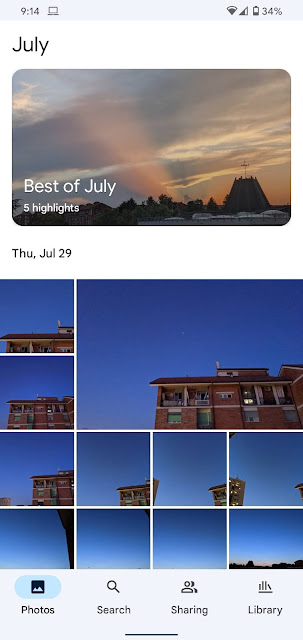
Despite the impressive machine learning features, in the Google Photos app, good old browsing is still a common way of finding what you want in your library. You scroll down the timeline until you run across what you were looking for, or other interesting shots serendipity brought your way. Tap the Photos button to jump back to the top of the photo library in the Google Photos app. Here the Android app on a Pixel 4 XL. Now that you are way down the timeline, how do you get back to the top? You can scroll up all your way until you hit the latest photos. Or just tap the Photos button in the bottom bar, which instantly jumps to the top. This handy trick works also when the Android app is running on Chrome OS.

Mons Rumker: the Chang'e 5 Moon Landing Site

Image
Mons Rümker is the Moon landing site of the lander-ascender spacecraft of Chang’e 5, China’s lunar sample return mission. It’s one of the most interesting volcanic areas of the Moon. To explore this unique feature, I made a video of Mons Rümker in Google Maps . Mons Rümker in Google Maps. The video opens with the bright crater Copernicus at the center of the view. It then centers on and zooms in on Mons Rümker, rotating around the plateau to show its 3D structure and relief. I made the video by recording on my Chromebox a screencast of Google Maps at 1080p. Finding Mons Rümker may not be easy, as it's a subtle area and you need to know where to look for. Unfortunately, Google Maps doesn’t let you search for or share features on planetary bodies other than the Earth. The video hopefully helps to locate the area in Google Maps, here’s how: visit maps.google.com zoom all the way out click Satellite click  ☰ to open the menu click Globe zoom out more click Moon click 3D to show the c...

Practicing Google Featured on TestingCatalog

Image
Issue 162 of TestingCatalog featured my newsletter Practicing Google. The TestingCatalog newsletter. TestingCatalog , one of my favorite newsletters , provides news, updates, and insights on Beta and unreleased Android apps. It's a great resource to feel the pulse of the Android apps world and keep up with what developers are experimenting with. Thanks TestingCatalog!

Mockup Generators for Google Devices

Image
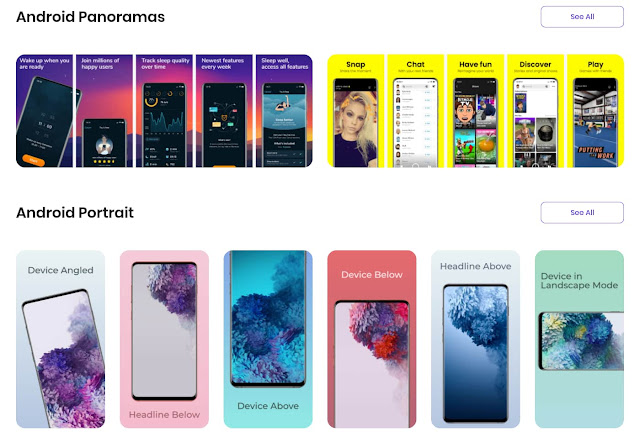
 Mockup generators are tools that combine screenshots with renderings of the frames and bezels of the desktop or mobile devices they are taken on. The generators can also overlay the screenshots to photos of actual devices. The Previewed mockup generator with some Android device frames. The combined images are used as illustrations or for promoting apps, ebooks, websites, or other digital products. There are several mockup generators for mobile and desktop devices such as smartphones, tablets, and laptops. But they usually focus on Apple hardware. The few frames in the Google ecosystems like Android phones or Chromebooks, when available, are often out of date. Google's own Android device art generator is missing the latest generations of flagships. Chrome can take screenshots with device frames but, again, there are no recent Android devices. Yeah, the cobbler's children have no shoes. List of mockup generators for Google devices I use mockup generators for sharing Android and...

My First Year of Blogging With Blogger

Image
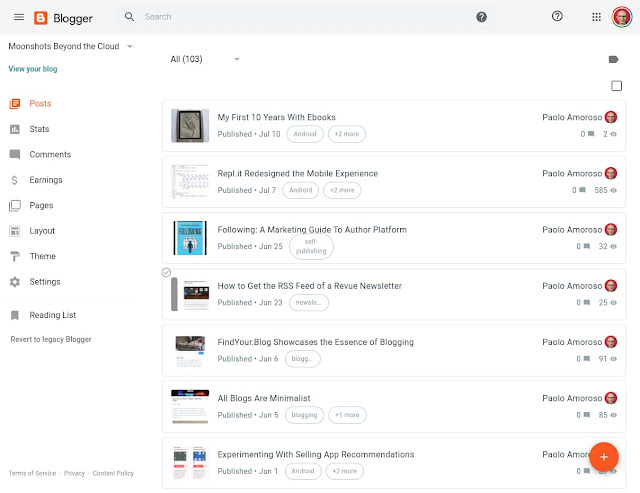
One year ago today, on 15 July 2019, I returned to Google Blogger and started a new blog . It was the conclusion of a journey that began over a dozen years earlier with my first blog on a self-hosted platform. I later published another blog on Blogger. Next, I left blogging for a few years. For several more years, I used Google+ as a blogging platform. Finally, I briefly tried the IndieWeb, which is not ready for prime time but intriguing. The Blogger dashboard of my blog Moonshots Beyond the Cloud. What was my first year on Blogger like? Uneventful. I chose Blogger because it’s a simple tool which doesn’t get in the way of writing and publishing . It does all I need and lets me focus on content. Google has been refreshing Blogger with a gradual redesign for the past couple of years. They’re rebuilding the platform on foundations rooted in a modern, mobile friendly design language and infrastructure. However, the new Blogger doesn’t provide much in the way ...

How to Set a Folder to Save Documents Scanned With Google Drive

Image
How do you scan documents with Google Drive for Android? Let me guess. You open the app, tap the + button, acquire the document, edit the filename, select a folder, and save. A document I scanned with Google Drive on my Pixel 2 XL phone. This is fine. But Google Drive saves scanned documents in the current folder which is often the root of My Drive like when opening the app. If you scan other documents in the same session, the current folder is again My Drive’s root. This requires extra folder selection work if you want to scan over one related document to keep in the same folder. Here’s a trick to save a series of scans in a specific folder without having to select a folder each time. Navigate to the desired folder before tapping the + button to scan . This changes the current folder which sticks for all subsequent scans in the same session.

How to Find Official Google Stock Photos

Image
If you blog about Google or cover the company in the news, you likely need quality images to illustrate your posts and stories. A collection of high-resolution Google stock photos is available in the press area of the company’s official blog The Keyword . The page with the photos is a bit hidden. To navigate to the page, click the 3-dot icon on the blog’s home and then click Press Corner. Android figurines in an official Google stock photo . Source: Google. You can filter the photos by type, such as Headshots for portraits of company executives like CEO Sundar Pichai , Senior VP of Hardware Rick Osterloh , and YouTube CEO Susan Wojcicki . Select type Logos for, well, product logos. You’ll find most of them like Chrome, Gmail, Drive, and many more. Finally, Life at Google features photos of facilities, Googlers, and work scenes. The images are 2800x2800 PNG files except for Life at Google, where they are 2800x1867 JPEG files. You may use the photos for publication with credi...

Practicing Google: Weekly Practical Resources on Google Products

Image
I’m starting the weekly email newsletter Practicing Google: Practical resources on Google products and related tech . I’ll send out the first issue on January 24, 2020. The newsletter will help you do more with Google. I encourage you to subscribe, it’s free and you can unsubscribe at any time. About the newsletter Each Friday I’ll send you links to tips, tutorials, apps, in-depth information, and other practical, actionable, or hands-on resources . This content will expand your toolbox and help you do more things with Google products and related technologies, such as web apps and tools. The logo of the Practicing Google newsletter. The value of Practicing Google is it distills my extensive experience with all things Google. I’ve been using Google products since 1998, starting from the search engine. Besides a Google early adopter, in 2009 I was an Android early adopter . As a member of the Google Product Experts Program (formerly Top Contributors Program) since 2014, I ...

Google Keep Is Chugging Along Nicely

Image
I still remember the shutdown of Google Reader in July 2013 — who doesn’t? It was one of the first high-profile product shutdowns that shaped and contributed to Google’s reputation (and countless memes) as a product killer. With the shock and disappointment of Google Reader’s loss still fresh, many questioned the future of Google Keep. A Google Keep note on my Pixel 2 XL phone. This new product had been initially released just a few months earlier, in March 2013. The conventional wisdom was to not use Keep because it was likely going away soon, too. Yet the product has been going on and regularly getting new features for over 6 years. Another high-profile shutdown, the one of Google+ 8 years after its launch, is a hint anything may still happen. But the death of a specific product doesn't necessarily affect the fate of another. The case of Google Keep is worth reminding each time Google unveils a new product.

The Google Product Experts Berlin Meetup 2019

Image
I attended the Google Product Experts Meetup 2019. The event, which took place from October 21 to 23 in Berlin, Germany, is one perk of the Google Product Experts Program. Waiting for the opening session of the Google PE Berlin Meetup 2019. The Google Product Experts Program The members of the Product Experts Program , i.e. the Product Experts or PEs, are volunteers who help the users of Google products in the official support venues such as the community forums. To assist the users, we have some additional tools and access to Google for reporting bugs, escalating issues, and providing product feedback. Google invites the PEs to the program events and covers the travel and accommodation expenses. Another perk of the program is the opportunity of testing new products or features. The Berlin Meetup The PE program holds at least an event every year. Google rotates between global summits, which usually take place in California and gather PEs from all over the world, regi...

Spotting Satellites With Google Street View

Image
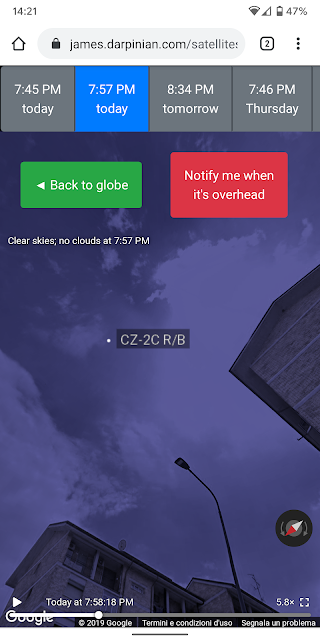
See A Satellite Tonight is an app for showing where to view artificial satellites in the sky with the naked eye. The See A Satellite Tonight app showing a satellite pass in Chrome on my Pixel 2 XL phone. The app simulates the motions of satellites across the sky by overlaying them to a Google Street View panorama. This makes it straightforward to spot satellites, especially for users with no space or astronomy background. During a pass you can see where the satellite is in the sky at your location with respect to landmarks and buildings you are familiar with. It’s a brilliant twist on an ephemeris interpretation problem. Most apps for showing the positions of satellites or predicting passes give guidance through astronomical references such as star charts, the horizon, or coordinates. Googler James Darpinian developed See A Satellite Tonight . It’s a web app designed to work on both the desktop and mobile devices, such as with Chrome on Android. The app has a few limitat...

Why I Stopped Using My Xiaomi Mi Band 4

Image
I bought a Xiaomi Mi Band 4 from Amazon and returned it the day after it arrived. Why? Because of some usability issues tech reviews don’t tell about. The box of the Xiaomi Mi Band 4 fitness tracker I returned. Why I wanted the Mi Band 4 I actually didn’t want a fitness tracker. My Moto 360 2015 smartwatch is apparently dying. So I wanted a replacement for the Moto 360’s most useful feature to me, the ability to show the notifications from the phone when it’s more convenient to twist the wrist than to reach and grab the phone. I thought the Mi Band 4, a popular and affordable device, could do an acceptable job at that. Usability issues The Mi Band 4 seems like a good and useful fitness tracker with a clean user interface. But, when I tried it, I realized it has some usability issues that make it less suited for what I needed. The first is the font of text longer than a few words such as in notifications is so tiny , with prescription glasses I have to strain to read ...

20 Years of Google Blogger

Google Blogger turned 20. It was actually Pyra Labs that launched the blogging platform on August 23, 1999 before Google acquired it in 2003. Peggy K celebrated the 20th anniversary of Blogger by briefly telling its history, which is part of the history of blogging, and explains why it’s still worth blogging and using Blogger in this social era. Peggy wrote: While it feels like social media has taken over much of publishing over the past decade, the tide may be turning. As there have been increasing concerns about privacy breaches, harassment and fickle algorithms on Facebook and Twitter, there are rumblings that blogging is making a comeback. I recently came back to Blogger and my motivations are similar to Peggy’s, such as Blogger having the features I need and being integrated in the Google ecosystem. I also share her hope the tide may be turning and blogging may be making a comeback, or at least growing a little more visible and relevant. What about the future of Blogger...

My First 10 Years With Android

Image
I left the Vodafone store at a shopping mall near Milan, Italy, in the early afternoon of a summer day. Precisely at 02:24pm on August 26, 2009, as printed on the receipt of the HTC Magic Android smartphone I had just bought for €449. It was my first Android device, 10 years ago today. The purchase receipt of my first Android device, an HTC Magic smartphone. I bought it for €449 at 02:24pm on August 26, 2009. Google unveiled Android in November 2007 and HTC released the first consumer Android device in September 2008. I’d say I qualify as an early adopter . Until that summer I had owned two feature phones, an Ericsson R320s and a Nokia 6151. WAP2 on the Nokia seemed an experience straight out of science fiction. But there were things I wanted on the go that only a smartphone could do easily, such as email, Twitter, and real-time text chat. Although the iPhone was already popular, Android looked promising and as a Google enthusiast I was committed to its ecosystem. The HTC ...

The Killer Use for My Google Home Mini

Image
I found the killer use for my Google Home Mini: listening to podcasts and audiobooks while in bed. The device provides the perfect combination of content and user experience. Audiobooks and podcasts are good bedtime content and I can operate the Home Mini completely hands-free. Using a phone wouldn't be as convenient for me, as the closest thing I have to a bed stand to set my phone to is not within arm’s reach. My Google Home Mini Chalk. The commands to operate audiobooks and podcasts are few and very simple, which contributes to a smooth experience. How to listen to audiobooks I began getting audiobooks only recently. I buy them at Google Play Books and the Home Mini accesses the books from there. Although there are several commands to control audiobook playback , I use only a couple to start listening to an audiobook from where I left off and end a reading session: “OK Google, read Book Title ” “OK Google, read my book” for the most recent one “OK Google, stop” ...

Why I Started Blogging on Blogger

Image
Hello again, web! This post ends a journey in search of a new online home for my thoughts and begins a new blogging journey. The home page of Google Blogger. The first journey started with the demise of Google+, which had been my daily social home base and publishing platform for almost 8 years. I was crushed when Google shut it down on April 2, 2019. As a new self-published author I was planning to eventually set up an email newsletter focusing on some of my interests and passions . And I still wanted to publicly share my thoughts and experiences in long form in a way similar to what I did on Google+. But what other platform could fill its big shoes? Why not a social platform I no longer wanted a social network as my main online presence. Anything Facebook is a deal breaker for me and, although there are some platforms for Google+ refugees that are getting some attention, such as MeWe and Pluspora, they didn’t seem a good fit for my needs. These social networks are w...