Posts

Showing posts with the label blogging

Mothballing Moonshots Beyond the Cloud

I’m no longer updating Moonshots Beyond the Cloud , the blog you’re reading now.  The site and the archive will remain online to allow accessing old posts. Thank you very much for reading so far, if you’re still interested the only blog I’ll post to is Paolo Amoroso’s Journal at journal.paoloamoroso.com Why am I discontinuing the blog? Five months ago I started the new blog Paolo Amoroso’s Journal hosted at Write.as, a great blogging platform well suited to technical writing. Write.as is a joy. It has such low friction I post much more often than I ever did with the Blogger-hosted Moonshots Beyond the Cloud. This made me realize how clunky and bloated Blogger is, which makes posting feel like a time-consuming chore . Plus, Google is never going to revamp or modernize Blogger. Write.as made me rediscover the joy of blogging and writing, and that’s where I’ll post going forward. See you at Paolo Amoroso’s Journal .

I’m Keeping a Journal

Image
I started the new blog Paolo Amoroso’s Journal . In the new journal, I write about the same topics of my main blog Moonshots Beyond the Cloud , but with more frequent and mostly short entries . My new blog, Paolo Amoroso’s Journal. The journal is hosted at the Write.as lightweight, distraction-free, Markdown-based blogging platform with good support for technical writing . Blogger, which I use for my main blog, is good for ordinary content. However, Google no longer releases new features and I’m actually happy the product is alive at all. I’ll continue updating my existing blog but I wanted to complement it with a journal. And I wanted to use a platform with much less friction than the clunky old Blogger. Researching a blogging platform was harder than I thought, so I’m happy I found Write.as. The new blog is at journal.paoloamoroso.com You can subscribe to the RSS feed or sign up to receive the posts via email as a newsletter.

How to Add Code Syntax Highlighting to Blogger

Image
On my blog I always wanted to format source code in Python and a couple more languages, but couldn’t find a convenient way. Until I read a tutorial on adding syntax highlighting to Blogger blogs like mine. The Blogger post composer actually provides the monospace Courier font that may be used for source code, but it works well only for inline text . If I apply the Courier font to a block of code, the composer renders each line as a separate paragraph. This leaves too much vertical space that makes the code look ugly. A workaround is to switch to the HTML view in the composer and wrap the block within <pre> ... </pre> tags, which insert the correct line spacing. However, the code doesn’t stand out on the page and there’s room for improving its scannability and visual impact. Fortunately, Blogger is an old dog I can teach new tricks to, like the setup the tutorial I found presents. A Python code snippet with syntax highlighting rendered by highlights.js in a post of the Moo...

Why Your Blog Still Needs RSS

Image
Back in the early days of blogging, the tech press bashed RSS out of existence as it was supposedly too complex for ordinary users. To the point new bloggers don't even know what RSS is, some recent blogging platforms don't support RSS, and the blogs of new startups sometimes don't provide RSS feeds. But if your blog doesn't have RSS, you shoot yourself in the foot. The RSS feed of my blog Moonshots Beyond the Cloud in Feedly. You completely give up control of your traffic to search engines and social platforms. Along with email newsletters, RSS is among the handful of options remaining to bloggers for establishing a direct communication channel and relationship with readers . With no gatekeepers. The readers who subscribe to your RSS feed always see all of your posts. No matter what Google, Facebook, or Twitter decide. What if only a minority of readers subscribe to your RSS feed? Is it still worth it? They are the readers you want. The superfans who share your work. ...

My First Year of Blogging With Blogger

Image
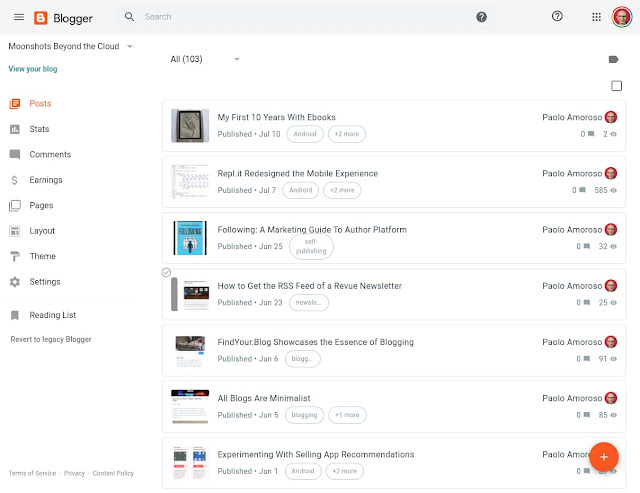
One year ago today, on 15 July 2019, I returned to Google Blogger and started a new blog . It was the conclusion of a journey that began over a dozen years earlier with my first blog on a self-hosted platform. I later published another blog on Blogger. Next, I left blogging for a few years. For several more years, I used Google+ as a blogging platform. Finally, I briefly tried the IndieWeb, which is not ready for prime time but intriguing. The Blogger dashboard of my blog Moonshots Beyond the Cloud. What was my first year on Blogger like? Uneventful. I chose Blogger because it’s a simple tool which doesn’t get in the way of writing and publishing . It does all I need and lets me focus on content. Google has been refreshing Blogger with a gradual redesign for the past couple of years. They’re rebuilding the platform on foundations rooted in a modern, mobile friendly design language and infrastructure. However, the new Blogger doesn’t provide much in the way ...

FindYour.Blog Showcases the Essence of Blogging

Image
Update The FindYour.Blog was unfortunately shut down and is no longer online. FindYour.Blog is a new blog directory — remember those? — aimed at new or niche bloggers. It lets you browse, search, review, and like blogs. You can also submit your own blog. The home page of FindYour.Blog. The directory has a clean design and is easy to use. But there’s something that makes it stand out: the community . FindYourBlog seems to attract passionate bloggers who value writing, sharing, and thinking. There are almost no marketers and the blogs in the directory don’t smell of SEO or have pushy selling, modal pop-ups, or heavy ads. Their posts focus instead on content and ideas with not much thought to ranking in search or selling yet another course. The writing has readers in mind, not search engines. Submitting blogs requires approval, and the editors are doing an excellent curation job. FindYour.Blog is a labor of love that brings back the roots and essence blogging had i...

All Blogs Are Minimalist

Image
One feature that made Medium popular is the minimalist design of its blogs. They emphasize text and images and have no blogrolls, widgets, tag clouds, or other distracting elements. It was a unique feature in the days of the desktop web when Medium came out. A post of my blog in Chrome on my Pixel 2 XL phone. Now the web is mobile-first and all responsive websites have a similar minimalist design on the smartphone and tablet screens the majority of readers use. They hide most of the design complexity behind a hamburger menu with links to other pages. If you open a post, the text and images dominate the page area. Just like Medium. For example, my Blogger blog has a responsive template that works the same way. Visit it on your phone. There are a few links at the top of the page and a handful of post recommendations at the bottom. These minor elements are hardly distracting. WordPress blogs and most other responsive websites do the same. The mobile revolution ...

I Was Interviewed by OnEBoard

Image
The members of OnEBoard interviewed me for their  On E Board Home series. I chatted with them about why my blog is my online home, how I started my newsletter , my space outreach activities, understanding and keeping up to date with the Google ecosystem, and more. Here's the preview of the interview . Watch also the full interview . OnEBoard is a network of creators who collaborate over the web. The group has its roots in projects they started on Google+. Thanks to Bob Danley, Peggy Kolm, Monika Schmidt, and Nina Trankova for having me as a guest and for their questions. Nina and Peggy are also fellow members of the Google Product Experts Program. These questions were an opportunity for thinking about and reflecting on my work and interests.

Experimenting With a Buy Me A Coffee Membership Plan

Image
After setting up a Buy Me A Coffee page for onetime support, I’m experimenting with a membership plan for recurring contributions. Buy Me A Coffee is a creator support and crowdfunding platform similar to Patreon. I use it for allowing the readers of my blog and newsletter to support me if they like my work. The membership plan on my Buy Me A Coffee page. When visiting a creator’s Buy Me A Coffee page, membership is now the default payment option if both are present, so I needed one. I’m starting with these rewards: a coupon for a discount on the purchase of 1, 10, or 50 copies of my book Space Apps for Android members-only posts featuring my Google and tech reading list (see a sample post ) The main motivation is I can provide these rewards right now with not much additional effort . I generated the discount coupon with Leanpub , the self-publishing platform I use. It’s a link I include in the Buy Me A Coffee thank-you message automatically emailed to new members....

Creating Subdomains For a Blog, a Newsletter, and Books

Image
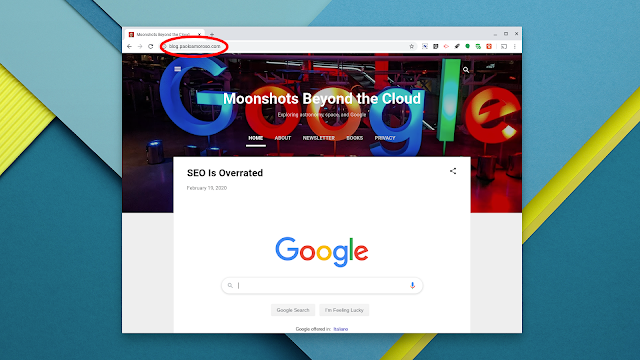
If you own an Internet domain, you can create subdomains for your properties such as a blog, a newsletter, and books. The URL of my blog starts with the blog subdomain of my domain. For example, my domain is paoloamoroso.com and my personal website is www.paoloamoroso.com  I set up the subdomains blog.paoloamoroso.com for my blog , newsletter.paoloamoroso.com for my newsletter , and books.paoloamoroso.com for a list of my books . blog points to my Blogger-hosted blog. newsletter and books are redirects. The former to my page on the Revue newsletter publishing platform, the latter to a page on my personal site. These URLs are good mnemonics and a branding opportunity . They are easy to remember and say when talking in person or in phone conversations. And you can include the URLs in business cards or promotional material. blog.paoloamoroso.com has another benefit as it allows to rename the blog without changing the domain, should I ever need to. The specifics o...

SEO Is Overrated

Image
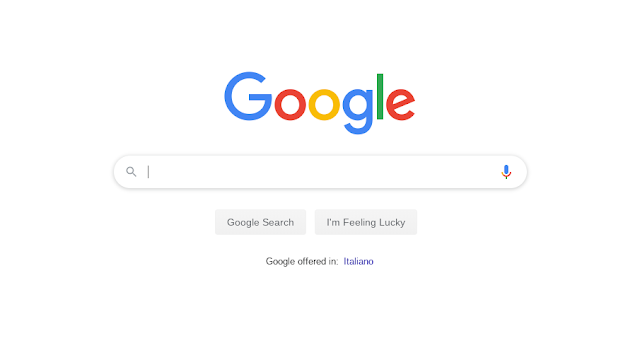
New bloggers are advised not to use website builders like Wix and Weebly because they aren’t good for SEO. And bloggers at all experience levels try to optimize for SEO every bit of content and layout. But does it matter? The Google home page. Let’s set outliers aside. For the rest of us, when starting a blog or an online presence with no prior audience or visibility, everything happens at a snail’s pace. For the first year or more, traffic grows slowly if at all. No matter what SEO trick or tweaks you do. Nothing seems to make a difference. Years later, when the blog gets decent traffic, gains visibility, and acquires brand recognition, people recommend and link to it anyway despite its warts. Assuming the content is valuable. Therefore, even at the other end of the growth curve, SEO doesn’t seem to matter much as the blog is past critical mass and self-sustaining. Improving the scannability and readability of content is always useful, a prerequisite. For example, struc...

Experimenting with Buy Me A Coffee

Image
Whenever I can, I try to support bloggers and creators by buying their books or paying contributions. Hoping someone appreciates my writings and work, I set up a Buy Me A Coffee donation button on my blog and a link in my newsletter. Buy Me A Coffee is a creator support and crowdfunding platform similar to Patreon. The Buy Me A Coffee home page. Although it’s a smaller and younger startup, Buy Me A Coffee has some interesting advantages over Patreon . For example, it accepts one-time payments, not just membership subscriptions, and it doesn’t require an account for supporters. As a Google user there are a couple more Buy Me A Coffee features I like such as signing up with Google and supporting Google Pay via Stripe . I connected both supported payment processors, PayPal and Stripe. Creating a Buy Me A Coffee account is straightforward. It doesn’t take more than a few minutes, even to someone like me who obsesses over tweaking and playing with settings. Connecting Buy Me A...

Practicing Google: Weekly Practical Resources on Google Products

Image
I’m starting the weekly email newsletter Practicing Google: Practical resources on Google products and related tech . I’ll send out the first issue on January 24, 2020. The newsletter will help you do more with Google. I encourage you to subscribe, it’s free and you can unsubscribe at any time. About the newsletter Each Friday I’ll send you links to tips, tutorials, apps, in-depth information, and other practical, actionable, or hands-on resources . This content will expand your toolbox and help you do more things with Google products and related technologies, such as web apps and tools. The logo of the Practicing Google newsletter. The value of Practicing Google is it distills my extensive experience with all things Google. I’ve been using Google products since 1998, starting from the search engine. Besides a Google early adopter, in 2009 I was an Android early adopter . As a member of the Google Product Experts Program (formerly Top Contributors Program) since 2014, I ...

Experimenting With Webmentions and Blogger

I’m experimenting with some IndieWeb features on my Blogger blog, particularly webmentions. Webmentions is a web standard for merging the reactions to a blog post across the web. The reactions typically appear as comments to the original post and link back to the sources. I followed the IndieWeb Blogger tutorials for adding to my blog an h-card microformat and support for webmentions. It’s pretty easy. For example, adding webmentions through Brid.gy requires adding just one line of code to the blog’s template. I originally set up Brid.gy to listen to webmentions from Twitter. This works great but, when a tweet has a link to a post of my blog, the full text of the tweet is published as a comment. Copying all the text of other users’ tweets makes me uneasy, especially considering those users may not be aware of it. Therefore, I turned off listening to webmentions from Twitter and deleted the Twitter reactions Brid.gy had initially added as comments to my posts. The blog is...

Blogging Awareness in 2019

If you've been on the web for more than a decade, you’re familiar with blogs and how they work. But don’t take for granted that others do. Two recent Reddit threads in r/Blogging hint at how low awareness of blogs and their infrastructure is in 2019. A blogger wondered how to follow a blog and suggested using Twitter, completely ignoring RSS. In a different thread, another blogger shared an anecdote that made him realize many young people don’t know what blogs are . What’s more worrying is the demise of RSS , a valuable source of repeated, interested traffic that bloggers own and can control. It’s comparable in effectiveness and growth potential only to email newsletters. Suppose a typical user stumbles upon a blog they like and want to follow. They don't know how to do it as RSS, the best tool for that, is even less known than blogs. Visiting the blog from time to time is impractical, the user forgets and moves on. They may follow the blog's social profile. But, giv...

A Conversation on Repurposing Blog Content to Publish a Book

Image
Some bloggers write a book by putting together their posts, revising the content, and expanding it with new material. I always used Google+ as a blog and I did something similar by using my posts as an early draft of the book Space Apps for Android I self-published. In a video conversation with Nina Trankova , Monika Schmidt, and Bob Danley, a part of Nina’s "On e Board" series, I explained how I repurposed the posts of one of my Google+ collections as the backbone of the book. I also discussed the Lean Publishing workflow with which I produce the book.

20 Years of Google Blogger

Google Blogger turned 20. It was actually Pyra Labs that launched the blogging platform on August 23, 1999 before Google acquired it in 2003. Peggy K celebrated the 20th anniversary of Blogger by briefly telling its history, which is part of the history of blogging, and explains why it’s still worth blogging and using Blogger in this social era. Peggy wrote: While it feels like social media has taken over much of publishing over the past decade, the tide may be turning. As there have been increasing concerns about privacy breaches, harassment and fickle algorithms on Facebook and Twitter, there are rumblings that blogging is making a comeback. I recently came back to Blogger and my motivations are similar to Peggy’s, such as Blogger having the features I need and being integrated in the Google ecosystem. I also share her hope the tide may be turning and blogging may be making a comeback, or at least growing a little more visible and relevant. What about the future of Blogger...

Feedly's AI Assistant Misses the Point of RSS

Feedly is testing an AI assistant that short-lists selected articles based on user preferences and machine learning. However, such an algorithmic recommendation feature misses the point of RSS and feed readers, the ability to skim all the headlines of a feed in chronological order. If I wanted algorithms to organize my feeds I might as well use a newsreader like Google News or a social platform like Twitter. With features like this Feedly is apparently trying to differentiate, attract more users, or pivot. But they’re neglecting the core reading experience. For example, it took Feedly several years to update the Android app and some of its usability issues still have not been addressed. And search, one of the key features of paid plans, is so ineffective I gave up on it long ago.

IndieWeb: Some Assembly Required

For a couple of months in 2019 I used the Micro.blog microblogging platform. Although it’s based on and inspired to the IndieWeb principles and technical standards, my motivation for using Micro.blog was mostly the rediscovery of blogging that’s a side effect of the IndieWeb. Blogging has always been my favorite online genre and, in a way or the other, I always blogged, even on social platforms. How Micro.blog worked for me I liked Micro.blog for its immediacy, low-friction posting, and features such as Markdown support. But it was still a bit spartan as the other IndieWeb tools I tried. It felt like a mix between a throwback to the early 1990s web, when publishing content required editing HTML, tweaking a site’s design, and familiarizing with network protocols, and contemporary web development with APIs and endpoints. Consider for example a basic feature like attaching an image to a post. The major traditional blogging and social platforms let you upload an image file and ...

Why I Stopped Cross-posting to Medium

When I joined Micro.blog I found out it can cross-post from a blog to a few other platforms, including Medium. I thought about it a bit and decided to set up my blog, then on Micro.blog, for cross-posting there even if I don’t feel comfortable with Medium. I don’t mind paid platforms or paying creators for their work, but Medium has something that puts me off. Maybe it’s the constant nagging and prodding for purchasing a subscription or signing up. However, I decided to cross-post there anyway for a couple of reasons. The first is I hoped my content would have a wider reach. The other reason is selfish. Mike Elgan encourages to use social platforms to our advantage by having them bring traffic to our own sites for once, given how much they used us so far. But it turns out unless you enroll into Medium’s partner program, your content won’t be algorithmically recommended to signed in users or subscribers. Instead I want my writing to be accessible on the open web without an accoun...